
The easymap AI Chat: Find Answers Without Searching
Do you know what you want to achieve, but not which function you need to get there? The integrated easymap AI Chat answers questions about functions, analyses and workflows directly within the application.

Anyone who works with easymap regularly will be familiar with situations like these:
- How do I display my locations correctly on the map?
- Why do I see red exclamation marks in my table?
- Can I analyse how far my employees need to travel?
- Is an employee already overloaded?
- Who can I contact if I need help?
For many of these questions, users no longer need to search the Support Portal or browse help articles. With the integrated AI Chat, AI-powered assistance is available directly within easymap.
What Is Behind the easymap AI Chat?
The AI Chat was introduced with easymap 12.3. Details about all new features can be found in the corresponding release article.
The easymap AI Chat is fully integrated into the application and supports users with questions about functions, workflows, analyses and common use cases.
The AI Chat complements existing support resources and makes knowledge available directly where it is needed. Responses are based on sources such as:
- the easymap Support Portal,
- blog and news articles,
- official documentation,
- video tutorials,
- and other published support materials.
This ensures that answers are tailored specifically to easymap. At the same time, the AI Chat provides references to the original sources, allowing users to explore topics in more detail whenever needed.
Find Functions Faster with the AI Chat
One of the biggest advantages of the easymap AI Chat is that you do not need to know which easymap function you are looking for.
Simply ask your question in natural language.
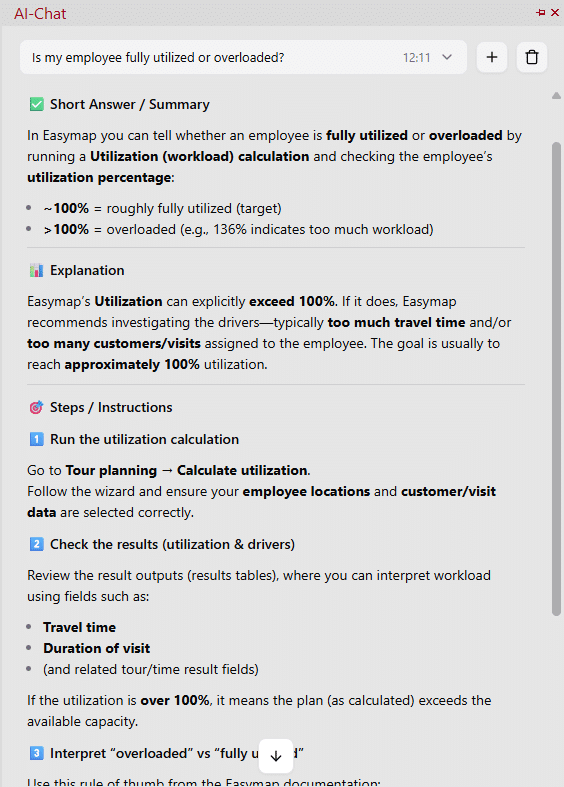
Instead of searching for terms such as “Tour Planning”, “Geocoding” or “Relationship Analysis”, you can ask:
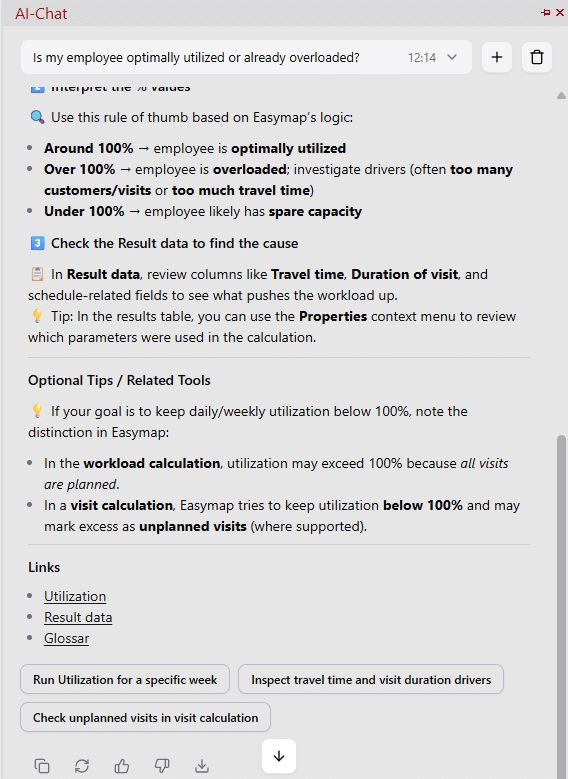
Is my employee optimally utilised or already overloaded?
The AI Chat categorises the request, identifies the relevant functionality and explains how employee workload can be analysed.
Typical Use Cases
The AI Chat supports many of the questions that arise during day-to-day work. Whether you are dealing with location visualisation, travel-time analyses or other evaluations, you can simply ask your question in natural language and receive guidance on functions, workflows and analytical methods.
Solve Problems Faster
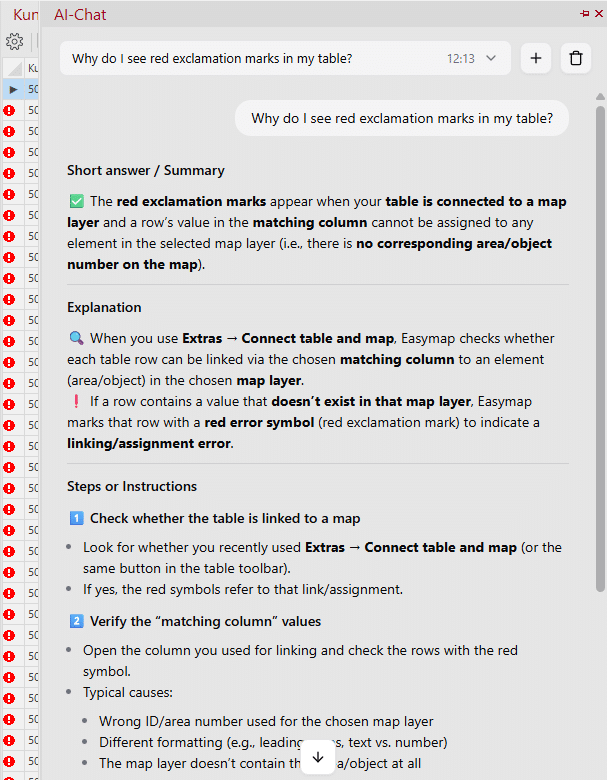
The AI Chat can also help when something is not working as expected.
For example:
Why do I see red exclamation marks in my table?
The easymap AI Chat explains possible causes and points users towards common solutions. This often helps identify the source of an issue more quickly, without first having to search through documentation.
Of course, the AI Chat does not replace detailed troubleshooting by the support team. However, it can provide valuable initial guidance and save time when dealing with common issues.
Better Questions Lead to Better Answers
As with any AI solution, the more specific the question, the more precise the answer.
Additional information such as error messages, warning symbols or specific observations helps the AI Chat understand the situation and provide more relevant information.
Understand the Source Behind Every Answer
The easymap AI Chat does not simply provide answers. It also shows the sources on which those answers are based.
Responses draw on content from the easymap Support Portal, blog articles and video tutorials. At the same time, the AI Chat links directly to the underlying sources so that users can review the original information or explore a topic in greater depth.
As a result, the AI Chat is not only useful for quick questions during everyday work, but also serves as a starting point for further learning and training resources.
Availability and Chat History Management
The AI Chat is available to easymap Professional customers directly within the application and can be opened from the welcome screen, the main menu or the toolbar.
Chat histories are automatically saved and can be reopened, exported or deleted at any time.
Users can provide feedback on responses through the integrated rating function, helping to continuously improve the quality of future answers.
If required, the AI Chat can also be disabled in the global settings.
Give It a Try
The easymap AI Chat makes knowledge from the Support Portal, documentation, blog articles and video tutorials available directly within easymap. Instead of searching for the right function or help article, simply ask your question in the same way you would ask a colleague.
Our recommendation: use the AI Chat as your first point of contact the next time you have a question.
Often, a single question is all it takes to receive the right answer, the appropriate solution or the quickest route to the function you need. Exactly where you work: directly within easymap.
The easymap AI Chat is often the fastest way to find an answer. For personal support, our support team remains available via email (Support@infas360.de), telephone (+49 228 9591414) and the Support Chat within the Support Portal.
This post is also available in: DE